

Active Learning Designer
An AI-powered teaching skill that turns course material or a teaching goal into a runnable learning activity, then helps instructors adapt the task, timing and facilitation.
Installation & usage guide (opens in a new tab)Explore the MapleWorks example
What the Skill Can Create
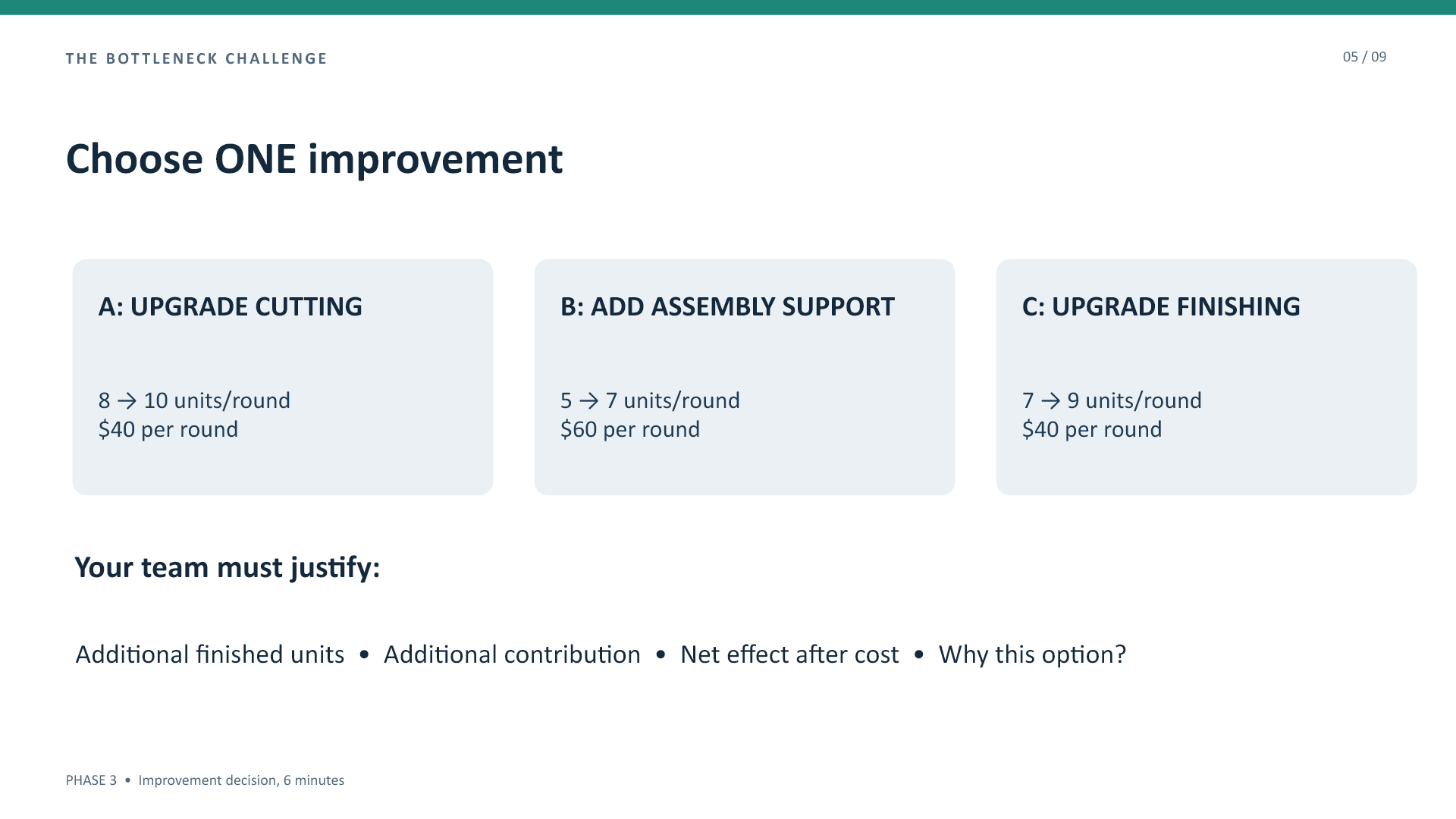
MapleWorks is a fictional manufacturing exercise about the Theory of Constraints. These actual slides and simulator screenshot show an activity developed with the skill.
Rendered from the supplied PowerPoint. Open any image for a full-size view.
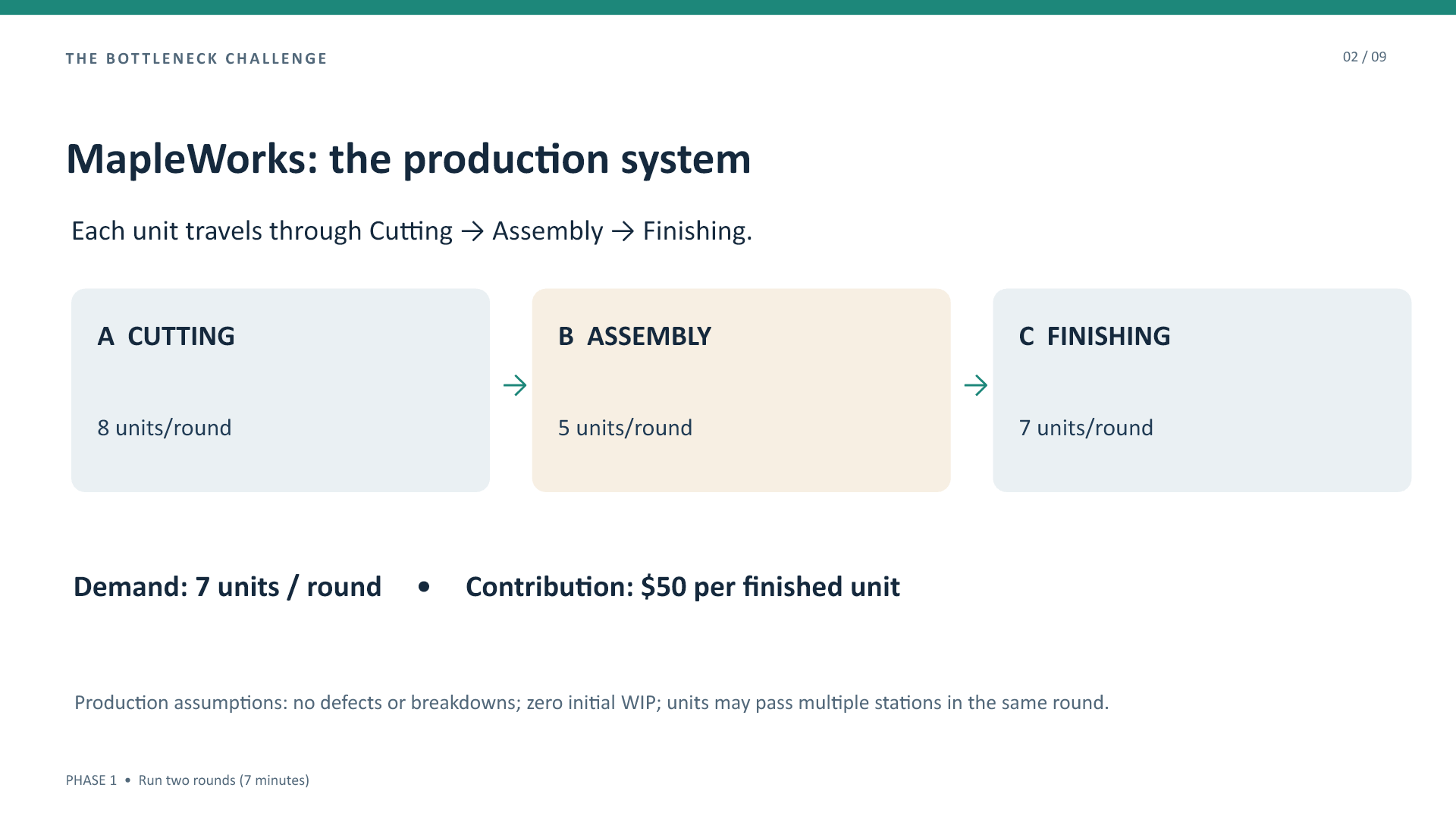
See the investment decision and simulator
The interactive companion
A standalone HTML companion can make an activity’s model visible through inputs and computed outputs. This actual MapleWorks screenshot shows capacity and demand controls after the Assembly upgrade.
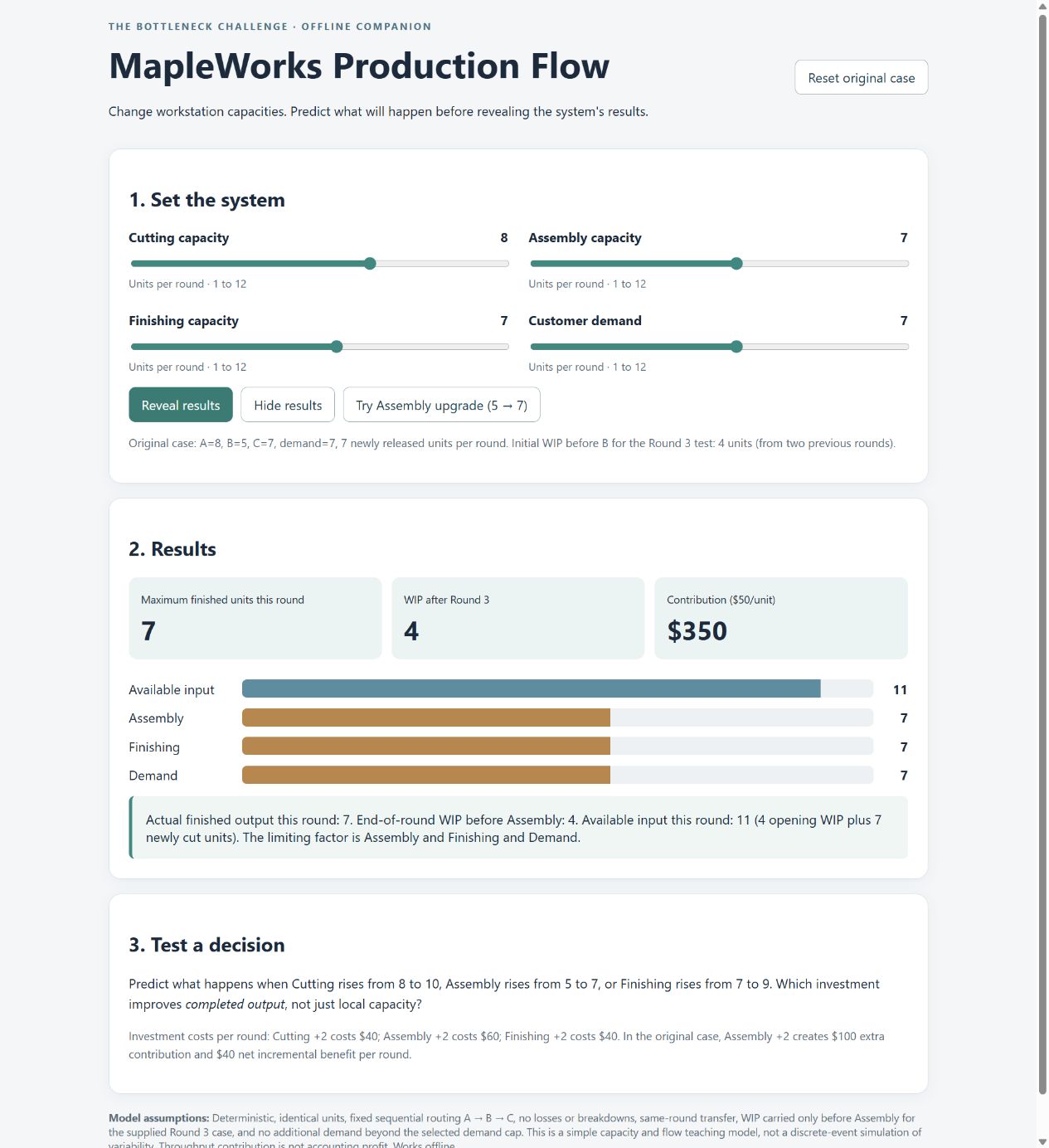
The model starts at Round 3 with four units of work in progress. It uses hypothetical deterministic figures and omits longer-run variability. Contribution is not accounting profit. Facilitator guidance can connect the model’s assumptions to a classroom debrief.
Fit the activity to your class
Fit the activity to your class
Bring a concept, reading, lecture segment, case or existing exercise. Specify the time, class size, delivery mode and available technology. There is no fixed activity length.
Ask for student instructions, a timed sequence, facilitator notes, a debrief and a check of understanding. You can also revise an existing activity or troubleshoot participation and discussion.
Once the design works for you, request a Classroom Delivery Package: slides, a facilitator guide and, when useful and supported, an HTML companion. File generation is optional; you can teach from the activity text.